

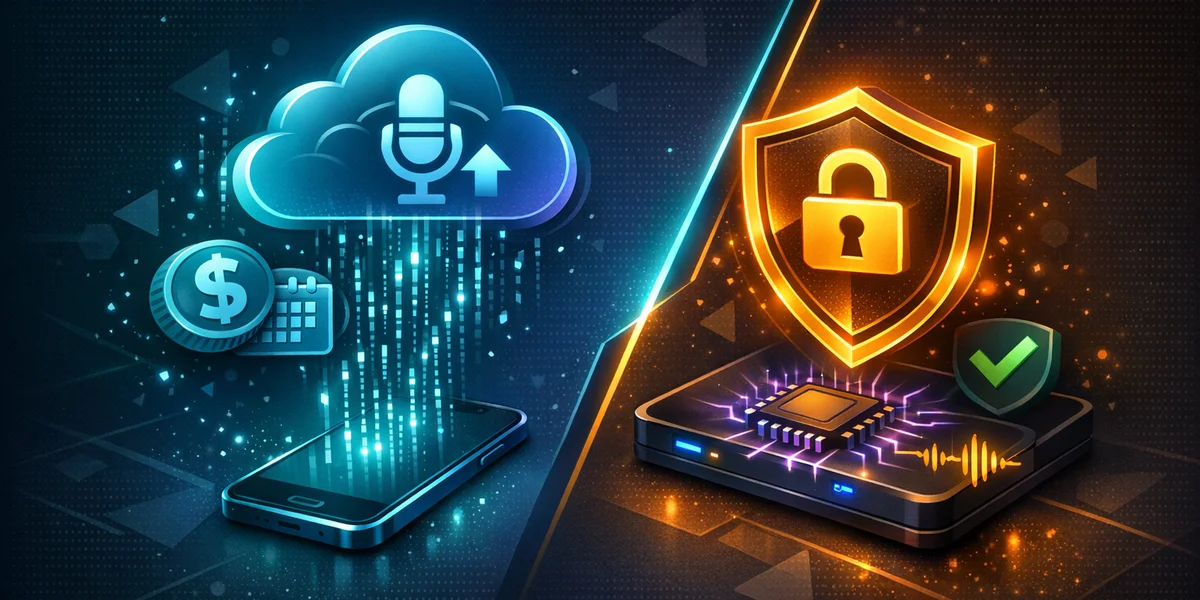
Direct answer — Is Glaido worth it in 2026? Glaido is a fast indie Mac dictation app that launched in 2026, with a free 2,000-words-per-week tier and a Pro plan at $17 per month billed annually. It is polished and quick, but its AI editing runs in the cloud. If you want fully offline privacy and a lower price, Weesper Neon Flow costs €5 per month on macOS and Windows.
What is Glaido?
Glaido is a voice dictation app that turns speech into clean, formatted text with a single keypress. It launched in 2026 as an indie, Mac-first product and has grown quickly on the strength of its speed and its AI auto-editing.
Voice dictation is the process of converting spoken words into written text using speech recognition. Unlike a voice assistant that runs commands, a dictation tool focuses purely on accurate transcription — and modern tools like Glaido add an AI layer that fixes grammar and punctuation as you talk.
Glaido advertises an average dictation speed of around 152 words per minute and works inside 12+ apps, including Gmail, Slack, Notion, Cursor and Claude. It supports custom dictionaries and prompts, plus an “agent mode” for more advanced text actions. If you are weighing up options, our complete buyer’s guide to voice dictation software walks through the criteria that matter most.
How much does Glaido cost?
Glaido uses a freemium model with three tiers. The only paid rate Glaido publishes is $17 per month billed annually for unlimited use.
Here is the current structure:
- Basic (free): 2,000 words per week, no card required.
- Pro: $17 per month billed annually (about $204 per year). Glaido publishes no month-to-month rate.
- Enterprise: custom pricing with team features.
That free tier is genuinely useful for light users. But 2,000 words is roughly four to five emails, so anyone dictating daily will hit the Pro plan fast. To pay the advertised $17 rate you also have to commit to a full year up front; Glaido publishes no month-to-month option at all.
For comparison, Weesper Neon Flow charges a flat €5 per month with no word caps and no annual lock-in. Over three years, Glaido Pro adds up to about $612, whereas the same period on Weesper costs roughly a third of that — a meaningful gap if dictation is part of your daily routine rather than an occasional convenience.
Is Glaido offline and private?
Not fully. Glaido stores your data on-device and markets “zero data retention”, but its AI auto-editing and agent features depend on secure cloud AI processing — meaning your text is sent off-device for those steps.
That is an important distinction for privacy-sensitive work. Storing transcripts locally is good, but if the AI cleanup happens in the cloud, your words still travel over the network. Under data-protection frameworks such as the GDPR, the principle of data minimisation encourages keeping personal data on as few systems as possible.
This is where an offline-first architecture changes the calculation. Weesper Neon Flow runs both the speech recognition and the formatting locally using whisper.cpp, the open-source, on-device implementation of OpenAI’s Whisper model. On Apple silicon it uses Metal GPU acceleration for speed, so nothing is uploaded — ideal for lawyers, clinicians, journalists and anyone handling confidential material.
Why offline matters for professionals
For regulated industries, “the data stayed on my machine” is a defensible answer; “it went to a vendor’s AI for cleanup” is a compliance conversation. If your dictation touches client names, medical notes or unpublished work, an offline tool removes an entire category of risk. Our guide to the best offline speech recognition software covers how to evaluate this properly, and our CamoVoice review of its HIPAA and GDPR claims examines what those claims actually mean for regulated work.
Glaido vs Weesper vs Wispr Flow
The clearest way to size up Glaido is against the tool it is most often compared with — Wispr Flow, the venture-backed incumbent — and against a fully offline option. The table below uses publicly listed information.
| Feature | Weesper Neon Flow | Glaido | Wispr Flow |
|---|---|---|---|
| Price | €5/month | $17/month billed annually | ~$12–15/month |
| Platforms | macOS + Windows | macOS (Windows 11 added) | macOS, Windows, iOS |
| Processing | ✅ 100% offline | ⚠️ Local storage, cloud AI editing | ❌ Cloud |
| Privacy | ✅ Data never leaves device | ⚠️ Zero-retention, but cloud steps | ❌ Cloud processing |
| Languages | 50+ | ~100 | Multiple |
| Recording limit | ✅ None | Word cap on free tier | Usage-based |
| Free tier | Trial | ✅ 2,000 words/week | Limited |
| Commitment | ✅ Cancel anytime | Annual for best price | Subscription |
A few honest takeaways from this comparison:
- Glaido wins on free-tier generosity and raw app integrations — its 12+ app support and agent mode are slick.
- Wispr Flow wins on maturity — more platforms (including iOS) and a longer track record. See our in-depth Wispr Flow review for the full breakdown.
- Weesper wins on privacy and price — it is the only one of the three that keeps everything offline, and at €5/month it is roughly a third of Glaido’s Pro price.
Ready to test the offline approach yourself? Download Weesper Neon Flow and dictate a full document without a single byte leaving your device.
Glaido vs Whisper: what is the difference?
Glaido and Whisper are not competing products: Glaido is a finished dictation app, while Whisper is a speech recognition model. Whisper was released by OpenAI in 2022 as open source under the MIT licence; on its own it is an engine with no hotkey, no app integration and no interface.
The confusion is understandable, because three names sound alike:
| Name | What it is | Where processing happens |
|---|---|---|
| Glaido | Indie dictation app with AI auto-editing | Local storage, cloud AI editing |
| Wispr Flow | Venture-backed dictation app | Cloud |
| Whisper | OpenAI’s open-source speech recognition model | Wherever you run it, including fully on your own machine |
Glaido does not publicly state which speech model powers its transcription, so “Glaido vs Whisper” is really a choice between a ready-made cloud-assisted app and an open model you run yourself. Running Whisper directly means installing a command-line tool such as whisper.cpp and building your own workflow around it.
Weesper Neon Flow sits between the two: it is a ready-to-use app with a global hotkey, built on whisper.cpp, so you get Whisper-class accuracy without the setup and without any audio or text leaving your device.
Is dictation actually faster than typing?
Yes — and this is the shared promise behind all three tools. In a Stanford-led study, speech input was 2.93 times faster than a smartphone keyboard for English (153 vs. 52 words per minute), with fewer entry errors (Ruan et al.).
Glaido’s claim of ~152 WPM sits right in line with that research, and so does Weesper’s real-world performance. The takeaway is that the speed argument is settled; the real decision is about where your data is processed and what you pay each month.
If you want the productivity gains without the cloud, our step-by-step setup guide shows how to get an offline dictation workflow running in a few minutes.
Who should choose Glaido — and who shouldn’t
Glaido is a genuinely good indie product, and the right pick for some users.
Choose Glaido if you:
- Live entirely on a Mac and want deep app integrations out of the box.
- Value AI auto-editing and are comfortable with cloud processing.
- Have light needs that fit the free 2,000-words-per-week tier.
Look elsewhere if you:
- Handle confidential or regulated content and need everything offline.
- Want cross-platform parity across macOS and Windows from day one.
- Prefer a flat, low monthly price with no word caps or annual lock-in.
For the second group, Weesper Neon Flow is the natural alternative: 100% offline, 50+ languages, no recording-time limit, and €5/month with no commitment.
Conclusion
Glaido is a promising 2026 newcomer — fast, polished, and generous with its free tier. But at $17 per month billed annually with cloud-based AI editing, it asks you to trade both budget and a measure of privacy for its convenience.
If those trade-offs give you pause, a fully offline tool answers the same need for less. Start your 15-day free trial of Weesper Neon Flow and keep every word on your own machine.