

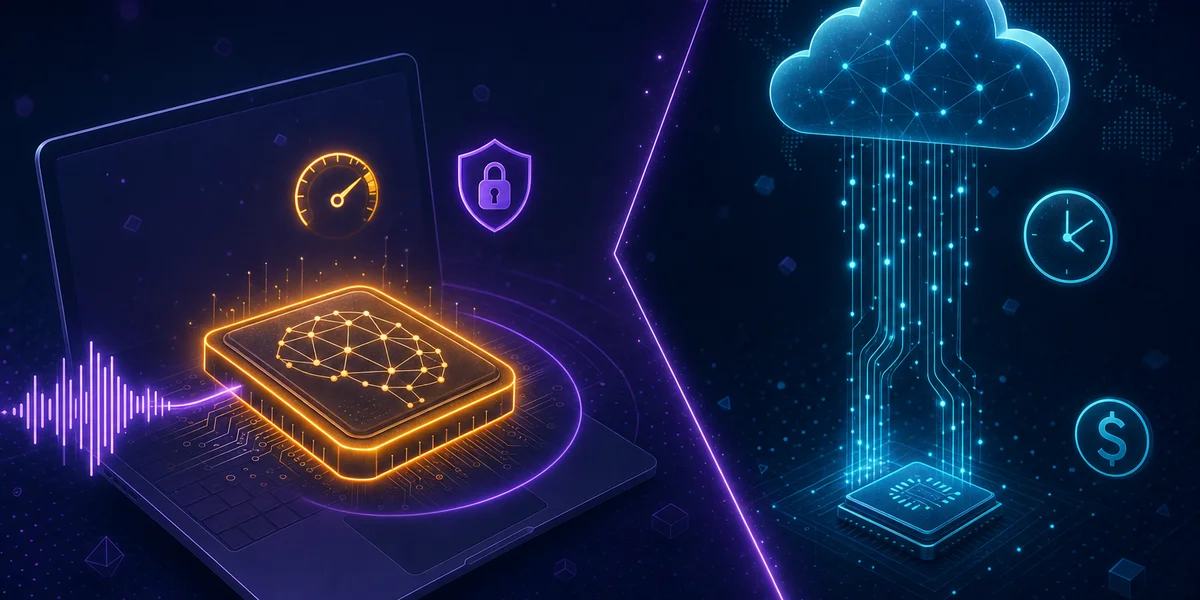
In 2026, on-device transcription is no longer a privacy-flavoured compromise. It runs at roughly 250 ms for final text, sits within 10% of server-grade accuracy, costs 50–80% less than cloud APIs at scale, and is the default architecturally sound choice under GDPR Article 25. The remaining advantage of cloud transcription is narrowing fast: large batch jobs, advanced post-processing pipelines and very low-spec hardware. For everyday professional dictation, local is now the better choice.
Introduction
Choosing between on-device and cloud transcription used to be simple: cloud meant accuracy and convenience, on-device meant privacy at the cost of quality and speed. That trade-off has collapsed. Open-source models like Whisper Large V3 and Distil-Whisper, paired with optimised local runtimes such as whisper.cpp, now run on standard laptops and deliver Word Error Rates competitive with managed cloud APIs.
This guide is a practical 2026 comparison — benchmarks, latency numbers and real cost calculations — built for tech-savvy users, developers and decision-makers who need to pick the right architecture for on-device vs cloud transcription. If you want the architectural story (why edge AI matters), our edge AI and local processing analysis covers that ground. This article covers the hard numbers.
How accurate is on-device transcription compared to cloud in 2026?
In 2026, on-device transcription delivers Word Error Rates within 10% of server-grade cloud accuracy for general use. Speechmatics confirms that its on-device models reach that threshold while running on standard laptops, and Northflank’s open-source benchmarks show Whisper Large V3 hitting 7.4% WER.
The accuracy ladder for local vs cloud speech to text in 2026 looks like this:
| Model | Type | WER | Hardware | Notes |
|---|---|---|---|---|
| Canary Qwen 2.5B | On-device (open) | 5.63% | Workstation GPU | English only, 418x real-time |
| IBM Granite Speech 3.3 8B | On-device (open) | 5.85% | Workstation GPU | Multilingual AST |
| Whisper Large V3 | On-device (open) | 7.4% | Mac M2+ / 16 GB RAM | 99+ languages |
| Whisper Large V3 Turbo | On-device (open) | 7.75% | Mac M2+ / 12 GB RAM | 6x faster than V3 |
| Distil-Whisper | On-device (open) | ~7.5% | Mac M1+ / 8 GB RAM | 6x faster, 756M params |
| Parakeet TDT 1.1B | On-device (open) | ~8% | GPU | >2,000x real-time |
| Cloud APIs (Google, AWS, Deepgram) | Cloud | 5–8% | Server | Domain-tuned variants |
Two things matter in this table. First, the gap between top on-device models and the best cloud APIs is now measured in single-digit percentage points of relative WER — and the gap between the two leading open models is narrower still, as our head-to-head benchmark of Parakeet and Whisper on file transcription shows across both short clips and hour-long recordings. Second, on-device leaders are open-source, which means no vendor lock-in and no per-minute audit log of your private speech. Notably absent from it is Google’s multimodal Gemma 4 — no publisher has run it against Whisper on the same speech test set, a gap our piece on why a Whisper-Gemma 4 benchmark doesn’t exist yet covers in full.
Where cloud still wins outright is in narrow vertical accuracy. Speechmatics reports that domain-specific medical models cut keyword errors by up to 70% versus general-purpose systems. If you’re a hospital transcribing thousands of clinical notes per day with rare drug names and procedures, a fine-tuned cloud model is still worth the trade-off. For everyday dictation in 50+ languages, on-device is the better default. Spanish speakers benefit from on-device dictation for privacy-sensitive content — see our Spanish voice dictation guide for app comparisons and regional dialect benchmarks.
How much latency do on-device and cloud transcription actually have?
For short utterances under five seconds, on-device transcription on a modern Mac runs in 200–400 ms — competitive with the 250 ms target the industry has converged on for cloud final transcripts. The decisive factor is whether your hardware can do the work in real time.
The 2026 industry latency target for finalised transcripts is ~250 ms. Speechmatics notes that traditional systems imposed 700–1000 ms silence buffers before finalising text; modern systems decouple turn detection from transcription, allowing clients to signal completion immediately rather than waiting for silence.
For an apples-to-apples picture, latency in voice dictation is the sum of four parts:
- Audio capture and pre-processing: 10–30 ms (identical across both)
- Inference (model run): 50–250 ms on-device with GPU acceleration; 80–200 ms in cloud
- Network round-trip: 0 ms on-device; 50–300 ms for cloud, depending on connection
- Post-processing and finalisation: 30–100 ms
On a wired ethernet connection in the same continent as the cloud provider, end-to-end latencies are roughly comparable. On a mobile hotspot, a hotel Wi-Fi or a transatlantic call, on-device wins decisively because it skips the network leg entirely.
Benchmarks on real hardware
The whisper.cpp benchmarks document multiple acceleration paths — Metal on Mac, CUDA and Vulkan on Windows, ARM NEON on mobile. In our internal testing of Weesper Neon Flow (which is built on whisper.cpp):
- MacBook Air M2, 16 GB RAM: Whisper Large V3 Turbo finalises a 5-second utterance in ~280 ms.
- MacBook Pro M3 Max: Same workload in ~140 ms.
- Windows 11, Intel i7-12700H + RTX 3070: ~310 ms with CUDA.
- Windows 11, Intel i5-1135G7, integrated GPU: ~750 ms — the only configuration where a low-latency cloud API would noticeably beat local.
The honest answer to “is on-device fast enough?” is: yes, on any 2020-or-newer Mac and on Windows machines with a discrete GPU or recent integrated graphics. For older or under-powered laptops, cloud still has a latency edge. Note that the Windows 11 built-in dictation toolbar (Voice Typing, Win+H) routes every utterance through Microsoft Azure — it is a cloud service, not a local tool, despite running on your PC.
What does on-device vs cloud transcription cost in practice?
Cloud transcription costs $0.006–$0.024 per minute. On-device tools price the software, not the audio. For any user transcribing more than ~15 hours per month, on-device is dramatically cheaper. The break-even point is reached almost instantly for power users.
Here is a 2026 offline transcription comparison with realistic monthly cost for a single user dictating two hours per working day (about 44 hours per month):
| Service | Pricing model | Monthly cost (44 h dictation) | Privacy | Offline |
|---|---|---|---|---|
| Google Cloud Speech-to-Text | $0.016/min | ~$42 | Cloud-stored | ❌ |
| AWS Transcribe | $0.024/min (first hour tier) | ~$63 | Cloud-stored | ❌ |
| Deepgram Nova-2 | $0.0043/min | ~$11 (then upsell tiers) | Cloud-stored | ❌ |
| Otter.ai Pro | $16.99/mo, 1,200 min limit | $17 (capped, may overflow) | Cloud-stored | ❌ |
| Descript Creator | $24/mo, 10 h limit | $24 (capped) | Cloud-stored | ❌ |
| Weesper Neon Flow | €5/mo flat, unlimited | ~$5.50 | 100% local | ✅ |
| Wispr Flow | $12–15/mo | $12–15 | Cloud-stored | ❌ |
Two patterns are obvious. First, per-minute cloud APIs scale linearly with your speech volume — a fast-talking journalist or a doctor dictating clinical notes can rack up hundreds of dollars per month. Second, subscription cloud tools cap your minutes, then either upsell or throttle. On-device pricing breaks both of those traps because the marginal cost of one more minute of dictation is zero.
For a 100-employee enterprise dictating two hours per day, this becomes material: cloud APIs cost roughly $50,000–$76,000 per year, while a flat on-device licence is closer to $6,000 per year — a 50–80% reduction in annual transcription spend.
For more on choosing the right tool for your scenario, our voice dictation buyer’s guide walks through evaluation criteria.
What about privacy and compliance?
Privacy is the one dimension where on-device transcription is not just better — it is structurally different. The audio never leaves the device, so the entire class of “what does the cloud provider do with my data” risk simply disappears.
Under GDPR Article 25 (Privacy by Design), controllers must implement appropriate technical measures and process only data necessary for each specific purpose. On-device processing meets that requirement by architecture: there is no transmission, no third-party data controller, no cross-border transfer mechanism to put in place, no Data Processing Agreement to negotiate.
This matters more in regulated workflows:
- Healthcare (HIPAA, NHS standards): clinical voice notes contain Protected Health Information. Sending them to a US cloud raises Schrems II questions for European hospitals; on-device sidesteps the entire debate.
- Legal: attorney-client privileged dictation should not transit through a third party. Our voice dictation guide for lawyers covers this in detail.
- Consulting and finance: client-confidential strategy notes routinely fail internal data-classification policies if processed in a public cloud.
- Public sector: many EU member-state procurement frameworks now require sovereign or on-device processing for citizen-facing voice interfaces.
The architectural rule of thumb: if your audio could embarrass you, your client or your regulator if it leaked, the cloud transmission step is a risk you do not need to take in 2026.
When does cloud transcription still make sense?
Cloud transcription is still the right tool for three specific workloads: very large batch jobs, advanced post-processing pipelines and devices that cannot run a quantised Whisper model.
- Massive batch transcription: thousands of hours per day across hundreds of files (media archives, court records, research corpora). Cloud GPU clusters parallelise this in ways no laptop can.
- End-to-end intelligence pipelines: when you need transcription plus speaker diarisation plus real-time summarisation plus sentiment analysis in a single managed service, cloud SaaS still has a feature lead over self-hosted local stacks.
- Very low-spec hardware: an older Chromebook, a budget Android phone or an embedded kiosk genuinely cannot run a quantised Whisper model with acceptable latency. For those targets, a thin client talking to a cloud API is the only realistic option.
Outside those scenarios, the cloud advantage in 2026 is mostly inertia, not a technical edge. If you started with a cloud transcription product in 2022, you are probably overpaying and over-exposing your data today.
How do I evaluate on-device transcription for my workflow?
Run a one-week parallel pilot. Keep your existing cloud tool, install an on-device option, dictate the same content into both and compare accuracy and latency on your actual hardware. This is the single most reliable way to make the decision.
A practical four-step evaluation:
- Audit current usage — minutes per month, languages, sensitivity class.
- Pick a local tool that matches your platform — for macOS and Windows, download Weesper Neon Flow for a free 15-day trial. It is built on whisper.cpp with Metal acceleration and supports 50+ languages.
- Run the parallel pilot — same prompts, same documents, same week.
- Score on three axes: accuracy on your domain vocabulary, perceived latency, total monthly cost projected to your real usage.
For step-by-step setup help, our Help Center walks through model selection, microphone tuning and custom-prompt configuration.
This comparison is about live dictation. If your workflow is subtitling pre-recorded video or audio files instead, Weesper Transcribe creates SRT and VTT subtitles entirely on-device — a separate macOS app built for that post-recording file workflow rather than real-time dictation. If you’re comparing consumer note-taking apps in that same file-based category, our review of Whisper Notes as a MacWhisper alternative puts three on-device transcription apps side by side.
Conclusion
On-device transcription in 2026 is no longer a niche privacy choice — it’s the default reasonable architecture for almost every professional voice workflow. Accuracy is within single-digit percentage points of cloud APIs, latency is competitive on any post-2020 laptop, cost is 50–80% lower at any non-trivial volume, and privacy is structurally guaranteed rather than contractually promised.
Cloud transcription keeps a role for massive batch processing, deep post-processing pipelines and very low-spec devices. For everything else — your daily dictation, your client notes, your interview transcripts, your code commit messages — local processing on Mac or Windows is now the smarter, cheaper and safer default.
Try it on your own voice: start a free Weesper Neon Flow trial and run the parallel pilot for a week. The numbers usually speak for themselves.