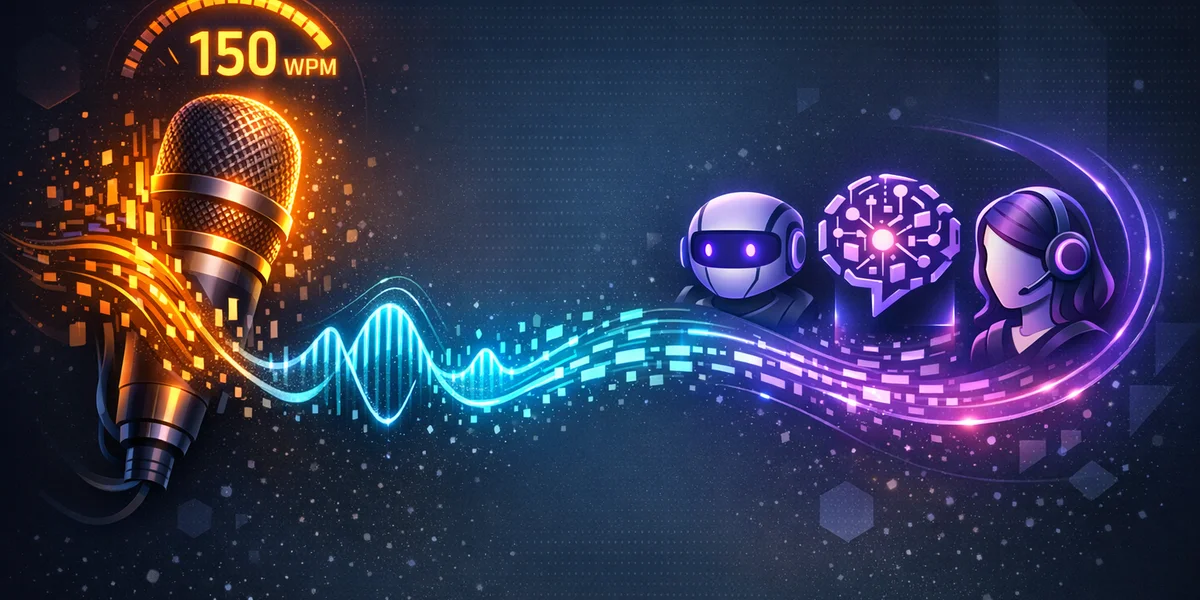
More than one billion people now use AI chatbots every month, sending billions of prompts daily to tools like ChatGPT, Claude, and Gemini. Yet most users still type every single prompt by hand—at 35-50 words per minute—when voice dictation lets you speak at 120-150 words per minute. A voice-first AI workflow replaces your keyboard with dictation as the primary input for AI interactions, letting you craft longer, richer, and more detailed prompts in a fraction of the time. This guide explains how to build that workflow in 2026, which voice dictation tools to use, and why offline dictation matters for keeping your AI conversations private.
Why Voice-First AI Prompting Is the Defining Productivity Shift of 2026
The quality of an AI response depends heavily on the quality of your prompt. Detailed, contextual prompts consistently produce better outputs than terse, hastily typed instructions. The problem? Typing detailed prompts is slow and fatiguing, so most users default to short, underspecified prompts and settle for mediocre AI output.
Voice dictation solves this friction. A landmark Stanford University study demonstrated that speech input is 3x faster than typing, with 20% fewer errors. When you apply that speed advantage to AI prompting, the impact compounds:
- Longer prompts become effortless. A 200-word prompt that takes 4-5 minutes to type takes under 90 seconds to dictate.
- Richer context flows naturally. Speaking encourages you to include background, constraints, and examples that you would skip when typing.
- Iteration cycles accelerate. When refining a prompt costs 30 seconds instead of 3 minutes, you experiment more and get better results.
- Cognitive load decreases. Your working memory stays focused on what to say rather than how to type it.
The result is not simply faster typing—it is a fundamentally different relationship with AI tools. Voice-first users report crafting prompts that are 2-3x longer and significantly more detailed than their typed equivalents, which directly translates to higher-quality AI outputs.
How a Voice-First AI Workflow Actually Works
A voice-first workflow is not a single tool but a process that connects speech input to AI interaction. Here is the practical architecture:
Step 1: System-Wide Voice Dictation
Install a dictation tool that works across your entire operating system—not just inside one application. The dictation engine runs in the background, listening when activated, and types the transcribed text into whatever text field has focus. This means it works in ChatGPT’s web interface, Claude’s desktop app, a local IDE, or any other application.
Key requirement: The dictation tool must support system-wide input. Application-specific solutions (like ChatGPT’s built-in voice mode) limit you to a single platform and often produce conversational responses rather than executing your precise instructions.
Step 2: Speak Your Prompt Naturally
With dictation active, navigate to your AI tool’s prompt box and start speaking. Describe what you need in natural language, including:
- Context and background (“I am building a REST API in Python using FastAPI…”)
- Specific instructions (“Generate a function that validates email addresses using regex…”)
- Constraints and preferences (“Keep the code under 50 lines and include type hints…”)
- Output format (“Return the result as a markdown table with three columns…”)
The dictation engine transcribes your speech to text in real time, populating the prompt field as you speak.
Step 3: Quick Review and Send
Glance at the transcribed prompt, correct any recognition errors (typically 2-5% of words), and press Enter. The entire cycle—from thought to submitted prompt—takes 60-90 seconds for a detailed, multi-paragraph instruction that would have taken 5-7 minutes to type.
Step 4: Listen and Iterate
Read the AI’s response, then dictate your follow-up. Voice-first iteration is where the productivity gains truly multiply: instead of laboriously typing refinements (“Actually, change the function to also handle international phone numbers and add error logging”), you simply speak them. Each iteration cycle drops from minutes to seconds.
Choosing the Right Dictation Tool for AI Workflows
Not every dictation tool suits AI-intensive work. Here is what to evaluate and how the leading options compare.
Essential Features for AI Power Users
System-wide compatibility. Your dictation tool must type into any text field—browser-based AI interfaces, desktop applications, terminal windows, and IDEs. Dictation tools that only work inside specific applications create workflow friction.
Technical vocabulary handling. AI prompts frequently include programming terms, framework names, and specialised jargon. Look for tools with custom vocabulary support or context-aware transcription that distinguishes “Python class” from “python class.”
Low latency. Sub-200-millisecond transcription keeps you in flow state. If you have to wait for each sentence to appear, the speed advantage evaporates and you lose your train of thought.
Privacy architecture. Every word you dictate passes through the dictation engine before reaching the AI. If your dictation tool uploads audio to the cloud, your prompt content is exposed to an additional third party beyond the AI provider itself.
Tool Comparison for 2026
| Feature | Weesper Neon Flow | Wispr Flow | Built-in OS Dictation |
|---|---|---|---|
| Processing | 100% offline | Cloud-based | Mixed (varies by OS) |
| System-wide | Yes (macOS, Windows) | Yes (macOS, Windows, iOS) | Yes |
| Technical vocab | Custom vocabulary | Context-aware AI | Limited |
| Latency | Instant (local GPU) | Sub-200ms | Variable |
| Privacy | Audio never leaves device | Audio processed in cloud | Varies by platform |
| Languages | 50+ | 20+ | Depends on OS |
| Price | 5 euros/month | $8-20/month | Free |
| Custom prompts | Yes | Yes (style matching) | No |
For users who prioritise privacy—particularly when dictating prompts containing business strategies, client data, or proprietary code—offline dictation provides a critical advantage. Your spoken words are converted to text entirely on your device, and only the final typed text reaches the AI service.
Building Your Voice-First Prompt Library
Experienced voice-first users develop standard prompt patterns that they can dictate from memory, dramatically accelerating common AI tasks.
Template Prompts for Common AI Tasks
Code generation prompt pattern: “You are a senior [language] developer. Write a [component type] that [specific behaviour]. Requirements: [list constraints]. Include error handling, type annotations, and inline comments. Return only the code with no explanation.”
Content editing prompt pattern: “Review the following text for clarity, grammar, and tone. Suggest specific improvements. Preserve the original meaning but make it more concise and professional. Here is the text: [dictate your draft].”
Research and analysis prompt pattern: “You are a subject-matter expert in [domain]. Analyse [topic] from [specific angle]. Include data points, cite your reasoning, and present findings as a structured report with an executive summary, key findings, and recommendations.”
Brainstorming prompt pattern: “Generate [number] creative solutions for [problem]. For each solution, explain the approach, list pros and cons, and estimate implementation difficulty on a scale of one to five. Prioritise unconventional approaches.”
The Dictation Advantage for Complex Prompts
These template prompts are 50-100 words each—trivial to dictate in 20-40 seconds but tedious to type. More importantly, voice dictation encourages you to customise them on the fly. Instead of using a generic template, you naturally add context: “…and by the way, the API needs to handle rate limiting because we’re integrating with Stripe’s webhook system, and our current architecture uses Redis for caching.”
This kind of spontaneous contextual addition rarely happens when typing because the effort discourages elaboration. With dictation, additional context flows naturally because speaking is how humans naturally communicate complex ideas. This principle extends beyond single prompts — as AI agents become more autonomous, the next frontier is agentic dictation: using voice to orchestrate multi-agent workflows and coordinate complex automations at the speed of speech.
Privacy Considerations: The Hidden Layer in AI Prompting
When you type a prompt into ChatGPT or Claude, your text travels to that AI provider’s servers. Most users accept this trade-off. But when you add cloud-based dictation to the workflow, your prompt content passes through two cloud services: first the dictation provider, then the AI provider.
The Double-Exposure Problem
Consider this scenario: you dictate a prompt asking Claude to review a confidential business contract. With cloud-based dictation:
- Your spoken words are uploaded to the dictation provider’s servers for transcription
- The transcribed text is then sent to Anthropic’s servers for Claude to process
- Two separate companies now have access to your confidential contract content
With offline dictation tools like Weesper Neon Flow, the first step happens entirely on your device. Your audio is processed locally using the open-source Whisper speech recognition engine, and only the final text reaches the AI provider. You reduce your exposure from two cloud services to one.
When Privacy Matters Most
This distinction is especially important for:
- Developers sharing proprietary code or architecture details with AI coding assistants
- Business professionals dictating strategic plans, financial data, or competitive analysis
- Legal and medical professionals whose compliance obligations require strict data handling
- Freelancers and consultants working under NDAs that restrict sharing client information with third parties
For a deeper exploration of how local AI processing protects your data, see our guide on edge AI and private voice dictation.
Optimising Voice Dictation Accuracy for AI Prompts
AI prompts demand higher accuracy than casual dictation because even small transcription errors can change the meaning of technical instructions. Here are targeted strategies for AI-specific accuracy.
Speak in Complete Thoughts
AI prompts benefit from structured, complete sentences. Instead of dictating in fragments (“Uh… write a function… that… processes JSON”), speak in complete thoughts: “Write a Python function that accepts a JSON string, validates its structure against a predefined schema, and returns a typed dictionary.”
Complete sentences give the speech recognition engine more context for accurate transcription and produce cleaner prompts that the AI interprets more reliably.
Pace Yourself at 120-140 Words Per Minute
The sweet spot for dictation accuracy sits between 120 and 140 words per minute—slightly slower than natural conversation but still 3x faster than typing. At this pace, speech recognition engines achieve their highest accuracy whilst you maintain enough speed to stay in flow state.
Rushing above 160 words per minute causes word-boundary errors (“write a function” becomes “ride a function”), whilst speaking too slowly introduces unnatural pauses that confuse the recognition model.
Build a Technical Vocabulary
Most dictation accuracy problems stem from a small set of repeatedly mis-transcribed terms. Identify your top 20-30 problematic words (framework names, API terms, domain jargon) and add them to your dictation tool’s custom vocabulary.
For a comprehensive approach to improving accuracy, read our guide on voice dictation accuracy training tips.
Use the Hybrid Approach for Code
Even the best dictation tools struggle with code syntax, variable names, and special characters. Experienced AI developers adopt a hybrid approach, often using dictation for documentation rather than code itself:
- Dictate the natural language instruction portions of the prompt
- Type specific code snippets, variable names, and syntax
- Combine both inputs before sending
This hybrid method captures 80% of the speed advantage of full dictation whilst avoiding the accuracy challenges of dictating code syntax.
Real-World Voice-First AI Workflows
Understanding how different professionals use voice-first AI workflows illustrates the practical value across roles.
The Developer Workflow
Marcus, a full-stack developer, uses voice dictation with Claude to accelerate code reviews and documentation. He opens a pull request, dictates a prompt describing the changes and asking for a review, and receives detailed feedback in seconds. His prompt: “Review this TypeScript module for potential null reference errors, suggest improvements to the error handling patterns, and identify any violations of our team’s coding standards. Here is the code…” followed by pasting the code. The natural language portion took 15 seconds to dictate instead of a minute to type.
The Knowledge Worker Workflow
Elena, a market analyst, uses dictation with ChatGPT to process research faster. She reads through industry reports, then dictates stream-of-consciousness analysis: “Based on the three reports I just reviewed, the key trends are…” She speaks for two minutes, producing a 300-word prompt rich with context and nuance that would have taken 8-10 minutes to type. ChatGPT returns a structured analysis that she refines through two more dictated follow-ups.
The Content Creator Workflow
James, a content strategist, dictates first drafts directly into Claude. He speaks his article outline, key arguments, and supporting points as a single long prompt, then asks Claude to structure it into a polished draft. The entire first draft takes 5 minutes of dictation plus 30 seconds of AI processing—compared to 45 minutes of manual writing. He then iterates with voice-dictated refinement prompts.
For more voice-driven productivity strategies, explore our guide on voice dictation for email workflows and voice dictation for remote teams. If you need help setting up your dictation environment, visit our getting started documentation.
Getting Started: Your First Week with Voice-First AI
Transitioning to a voice-first AI workflow requires a brief adjustment period. Here is a structured approach for your first week.
Days 1-2: Setup and Familiarisation
- Install a system-wide dictation tool. Choose based on your privacy needs and budget. Try Weesper Neon Flow for offline processing, or evaluate cloud alternatives.
- Test in low-stakes contexts. Dictate emails, messages, and notes to build comfort with speaking instead of typing.
- Learn your tool’s commands. Practise punctuation commands (“full stop,” “comma,” “new paragraph”) until they become automatic.
Days 3-5: AI Integration
- Start with simple AI prompts. Ask ChatGPT or Claude basic questions using dictation. Focus on the mechanics of dictate-review-send.
- Gradually increase prompt complexity. Move from single-sentence questions to multi-paragraph instructions with context and constraints.
- Experiment with follow-up dictation. Practise the iterative cycle: dictate a prompt, review the response, dictate a refinement.
Days 6-7: Optimisation
- Identify accuracy pain points. Note which words or phrases consistently mis-transcribe and add them to your custom vocabulary.
- Develop your prompt templates. Create reusable patterns for your most common AI tasks that you can dictate from memory.
- Measure your improvement. Compare the time and quality of your AI interactions before and after adopting voice-first prompting.
Most users report that after one week, dictating AI prompts feels natural and returning to keyboard-only input feels frustratingly slow.
The Future of Voice and AI Convergence
Voice-first AI workflows represent an early stage of a deeper convergence between speech and artificial intelligence. In 2026, we are already seeing native voice modes in ChatGPT and Claude, multimodal AI that processes voice, text, and images simultaneously, and real-time voice conversation with AI assistants that maintain context across sessions. The trend accelerated in March 2026 when both Claude Code shipped voice mode and OpenAI Codex added voice input — making spoken commands a standard feature in AI coding agents.
Yet system-wide dictation remains the most practical approach for serious AI work because it gives you precise control over your prompts. If you use Claude specifically, our complete guide to dictating to Claude AI covers every input method — from built-in voice mode to dedicated offline tools. Voice modes optimise for conversational flow, whilst dictation optimises for accuracy and editability—you can review and correct your prompt before sending, which matters enormously for complex technical or professional use cases.
As speech recognition accuracy continues improving—OpenAI’s Whisper model already achieves 97.9% accuracy on standard benchmarks—the gap between speaking and typing will only widen. Professionals who build voice-first habits now will have a compounding productivity advantage as the tools continue to mature.
Start Dictating to AI Today
The mathematics are straightforward: if you spend two hours daily interacting with AI tools, switching from typing to dictation saves roughly 90 minutes of that time whilst producing higher-quality prompts. Over a working year, that is nearly 400 hours of recovered productivity.
Your next steps:
- Choose a dictation tool that matches your privacy and accuracy needs
- Spend 15 minutes today dictating prompts to your preferred AI assistant
- Build the habit over one week using the structured approach above
Ready to experience voice-first AI prompting with complete privacy? Download Weesper Neon Flow and start dictating to ChatGPT, Claude, and any AI tool—with your voice processed entirely on your device. No cloud upload, no additional data exposure, just faster and more natural AI interactions.
Your brain thinks at the speed of speech, not the speed of typing. It is time your AI workflow matched.